Getting started· 01
The five-step wizard
Executable → merge → obfuscate → package → run. The step bar is clickable, steps can be skipped, and each one carries a live summary.
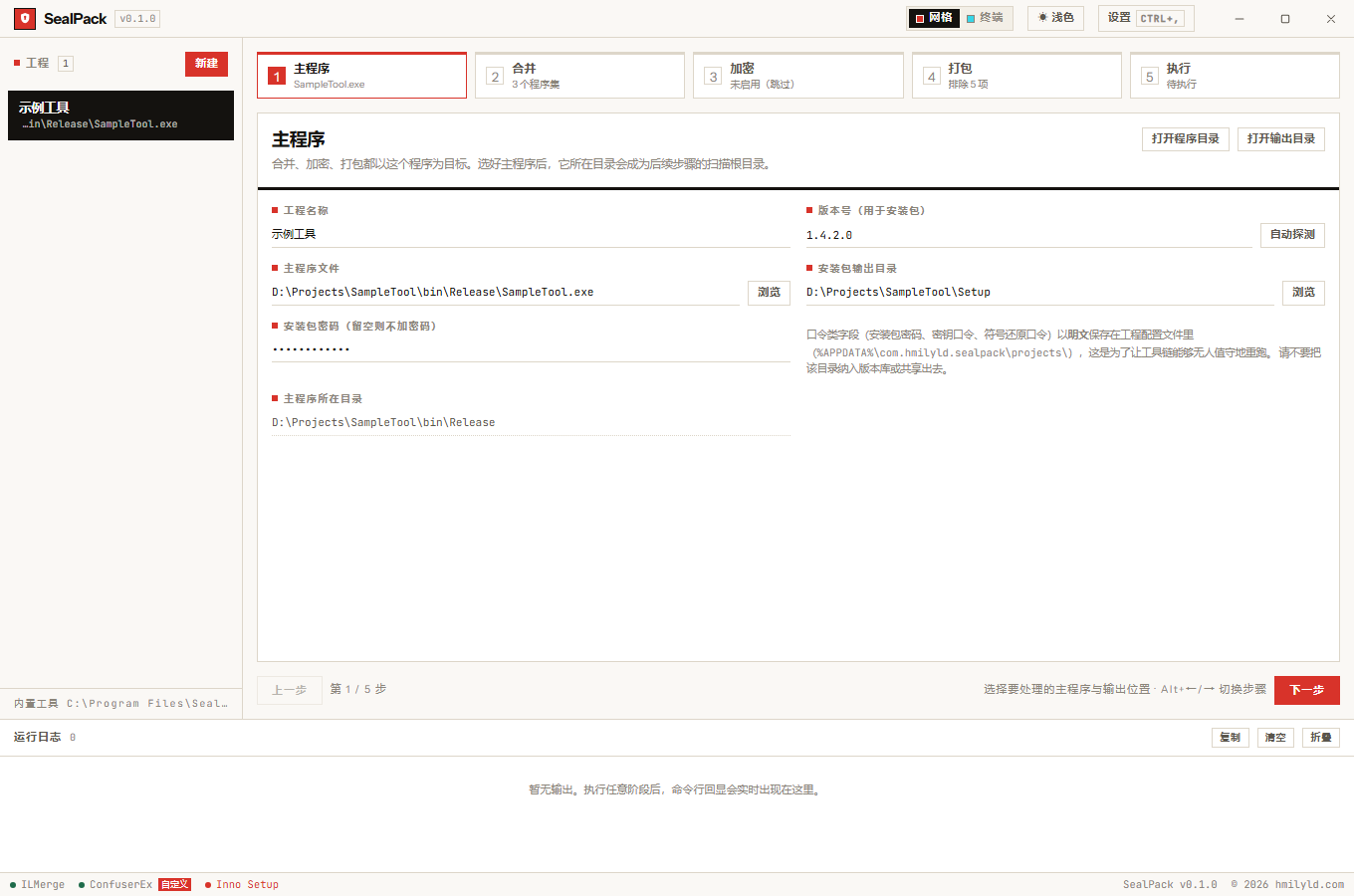
The interface cuts the workflow into five steps, and each step shows exactly one thing:
① Executable → ② Merge → ③ Obfuscate → ④ Package → ⑤ Run- The step bar is clickable — jump anywhere, go back, re-run a single stage. Visited steps are marked done.
- Every step carries a live summary: executable name, how many assemblies are checked, how many protections are enabled, how many items are excluded.
- Panels stay in the DOM and are only toggled. Paging back and forth keeps scroll position, expanded directories and a template you are editing.
- Skipping is a normal path — a step with nothing selected is skipped at run time, not treated as an error.
- Failure stops the run — a failing stage keeps its log and the later stages do not execute.
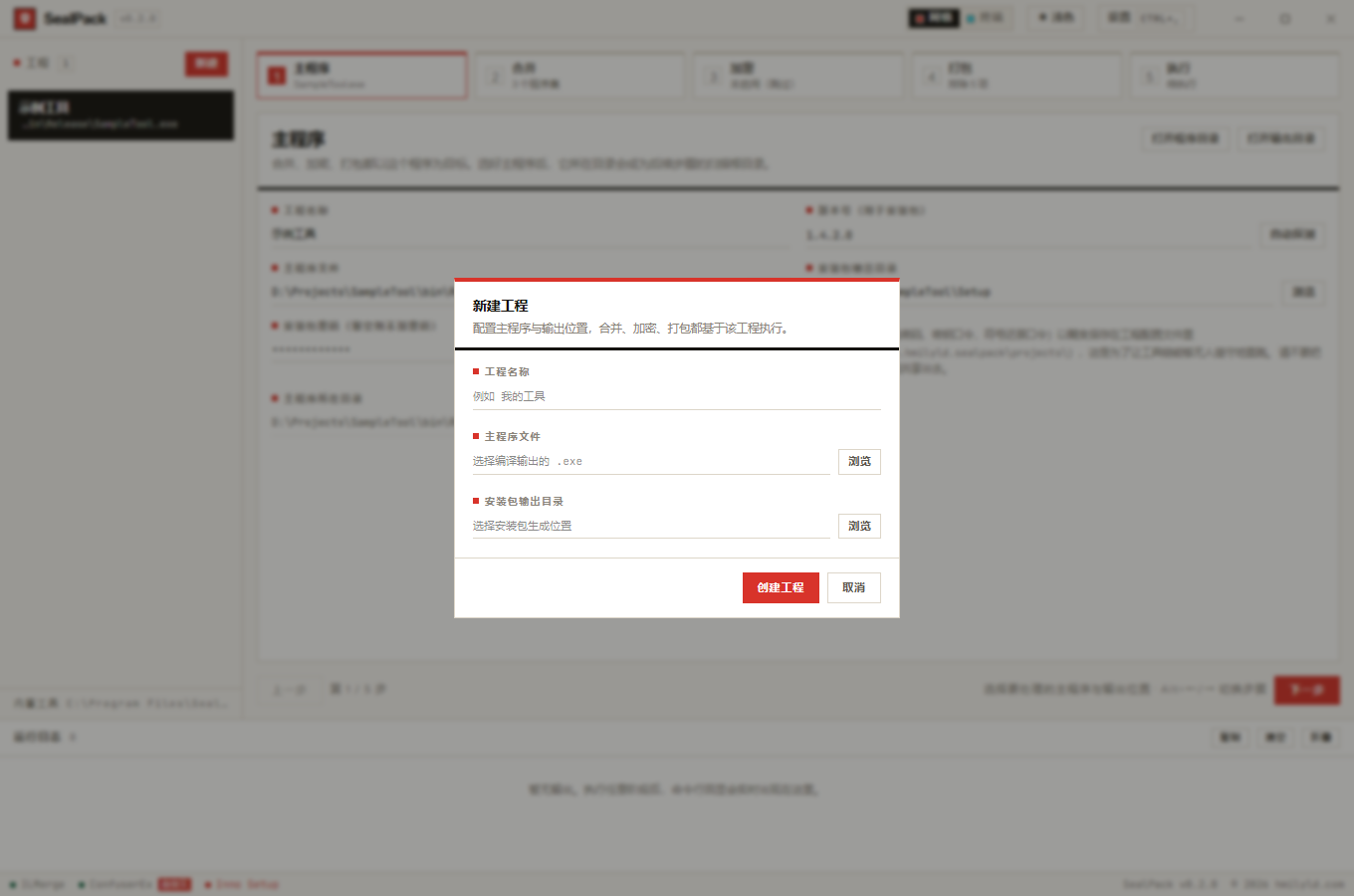
① Executable
Pick the .exe to work on. Its directory becomes the scan root for the next two steps: it decides what
gets merged into what, and what gets packaged.
- Version can be read from the executable’s version resource (via
GetFileVersionInfo) or typed by hand. - Installer password may be left empty. It is stored in plain text in the project file; see data & security.
- If you switch to an executable in a different directory, previously checked merge targets are removed with a notice — those files are no longer inside the scan root, so they would be invisible and impossible to uncheck.
② Merge
A file tree on the left, the selected list on the right. The three hit areas and the search behaviour get their own page: file tree & selection.
The one thing worth repeating: the main executable never appears in the tree, because it does not need
to be merged into itself. Before running, the executable is backed up to <name>.bakup, and that backup
is excluded from the installer by default — merge and obfuscation overwrite the executable in place, so
the backup is the only way back.
③ Obfuscate
Pick an overall strength first (none / basic / standard / aggressive), then tune individual switches. The switches generate the ConfuserEx config directly; a step with no protection enabled is skipped automatically at run time.
Each option’s meaning, default and effect on the template is in encrypt options.
④ Package
The upper half lists files excluded from the installer; the lower half holds the installer options: compression and LZMA parameters, packaging mode, encryption and signing, install behaviour, integrity checks. Details in packaging & excludes and package options.
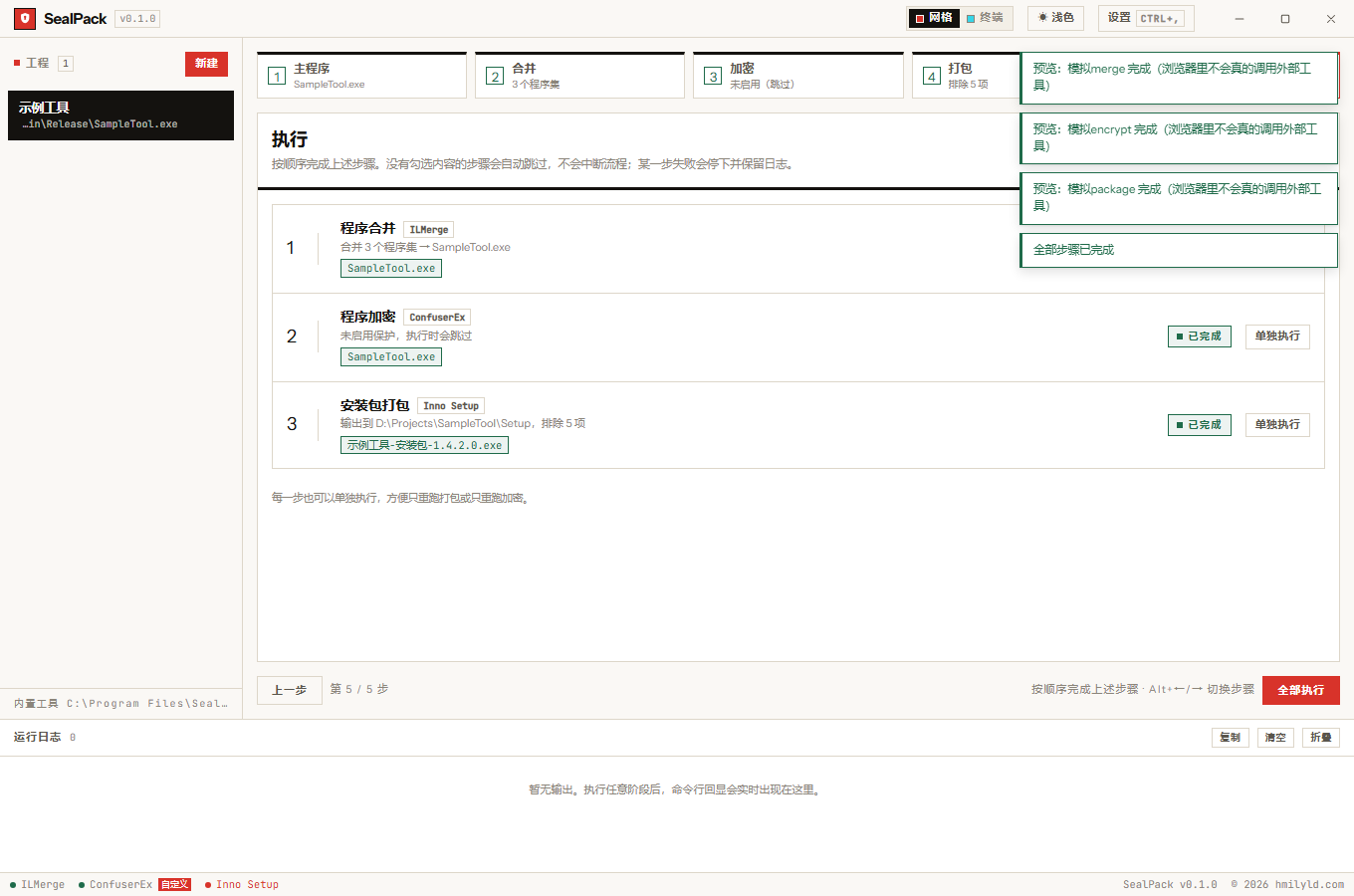
⑤ Run
One row per stage, showing the current summary, a status badge, the artifact and a “run this stage” button.
- Run all executes merge → obfuscate → package in order and shows “running N / 3”.
- Run one stage re-runs just that row, for example packaging alone.
- The artifact is a button that reveals the file in Explorer. It does not guess the filename: the app diffs the output directory before and after the run.
- The log sits at the bottom of the window, one line per stdout / stderr / system message with its source labelled. It can be copied, cleared and collapsed.
The project list is locked while a run is in progress — switching projects mid-run would send the running stage to a different target. See running & logs.
The summary that lives in two places
“how many assemblies checked / how many protections enabled / how many items excluded” appears twice: under each step tab, and on each row of the run pane. Both read the same data but render at different times — the step bar recomputes on every change, while the run pane rows only recompute on first render and at stage end.
That produced a real bug: after configuring steps ②③④, switching to ⑤ showed the state from when the
project was created (“no assemblies checked”, “no protections”, “0 excluded”). The fix routes every change
through syncStepSubs(), which refreshes both; the regression probe holds an invariant that they never
disagree.