Getting started· 03
Packaging & excludes
Automatic versus custom excludes, why a wildcard cannot contain a comma, and what "writes Excludes" actually produces.
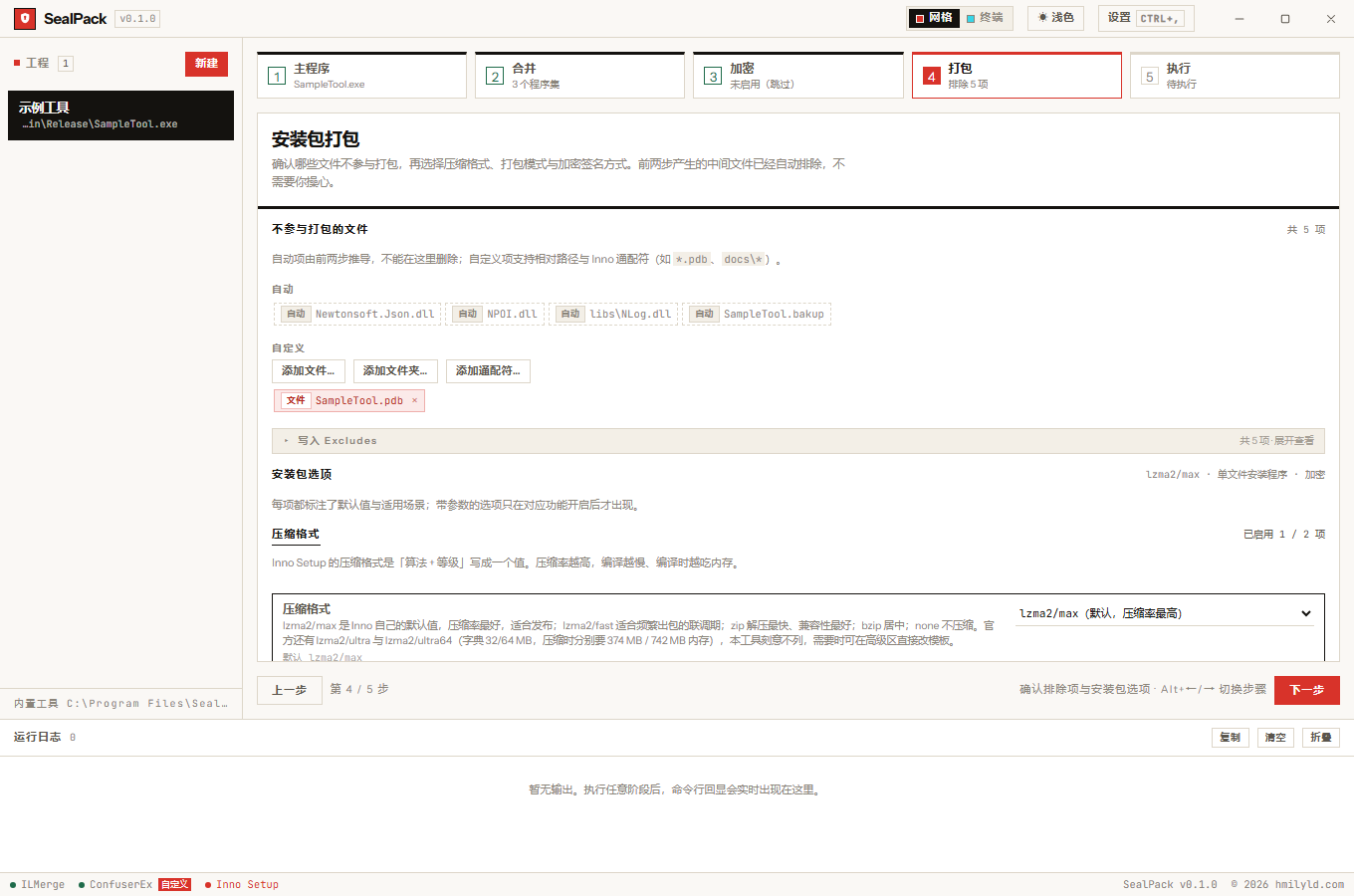
Upper half: files kept out of the installer
The installer sweeps the executable’s directory, but some files should never go in. The list has two kinds:
Automatic entries are derived from the previous two steps and cannot be removed here:
- the assemblies being merged — they are already inside the executable, shipping them again duplicates them;
- the backup
<name>.bakup— it is a way back, not an artifact.
They are shown read-only so you can see why a file is missing from the installer. An invisible exclude rule is more suspicious than a visible one.
Custom entries accept relative paths and Inno wildcards, managed through “add file / add folder / add wildcard”.
A wildcard cannot contain a comma
Inno’s Excludes is a comma-separated list, so a wildcard with a comma inside is split into two entries —
the first loses its tail, the second gains a head, and neither matches what you meant. The UI refuses it
at entry time.
Expand “writes Excludes” to see the final string:
Excludes: "*.pdb,app.bakup,Newtonsoft.Json.dll"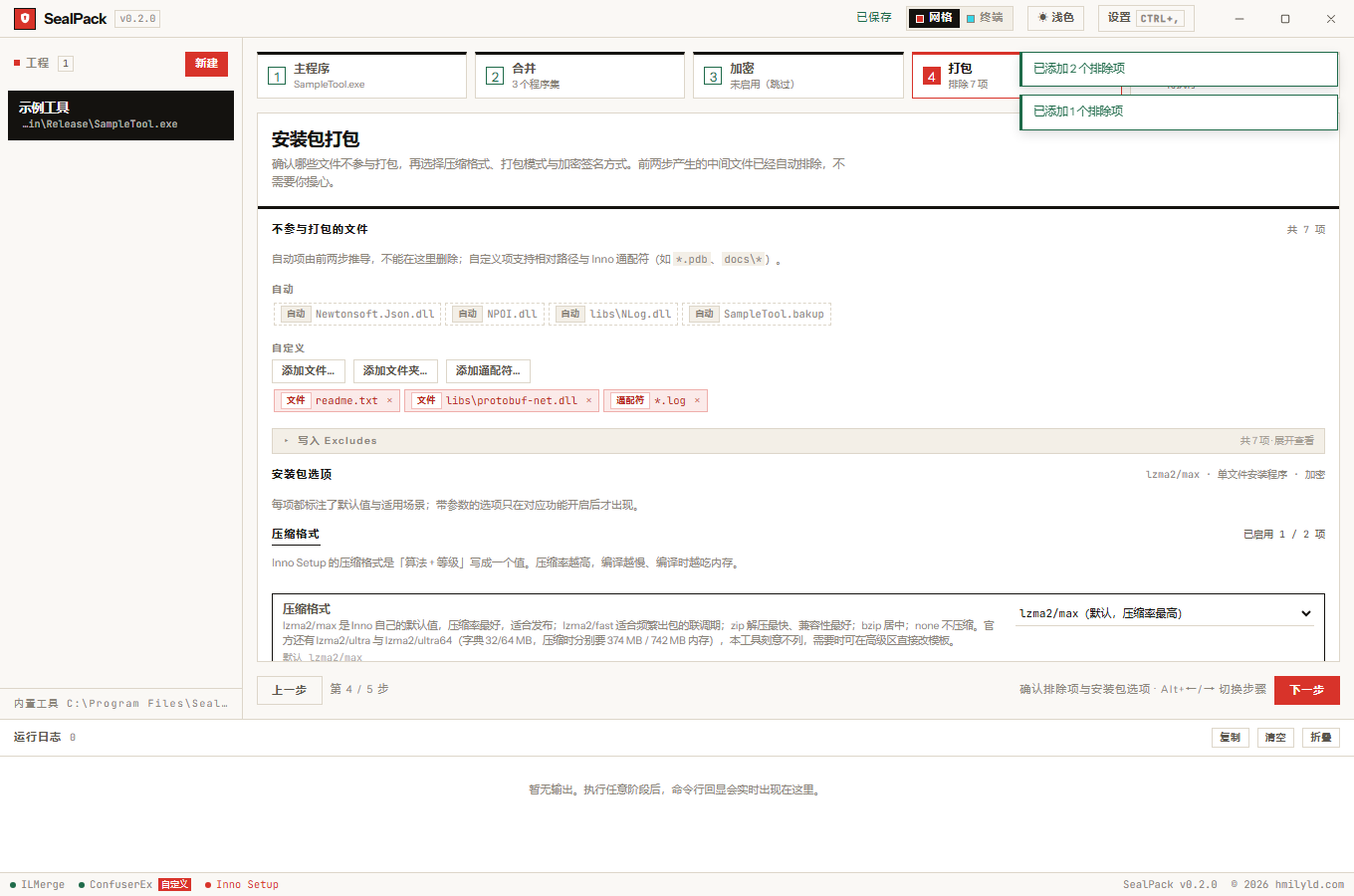
The executable is included exactly once
The generated .iss has two Source lines:
Source: "{#Root}\App.exe"; DestDir: "{app}"; Flags: ignoreversion
Source: "{#Root}\*"; Excludes: "{#Ignore},App.exe"; DestDir: "{app}"; Flags: ignoreversion recursesubdirs createallsubdirs
The second line must exclude the executable as well, or the same file is packed twice — Inno reports a duplicate file and the size accounting double-counts. The automatic entries always include the backup, so the string never starts with a stray comma.
Lower half: installer options
Five fixed groups: compression, packaging mode, encryption and signing, install behaviour, integrity checks. Every option’s semantics and default is listed in package options; three things are worth flagging here:
- Compression is “algorithm + level” in a single value (
lzma2/max), not two dropdowns. - A dictionary size of 0 means the line is omitted, leaving Inno to derive it from the level — almost always the better choice.
- The encryption default differs from Inno’s: Inno defaults to
no, SealPack defaults toyes.
Checksum manifest
If you picked an algorithm, packaging writes checksums-<algo>.txt into the output directory in
sha256sum format — <digest> <filename>, two spaces — so existing tools can verify it:
certutil -hashfile Setup.exe sha256
:: or
sha256sum -c checksums-sha256.txt
The manifest only contains files created or rewritten by this build (a snapshot of the output directory before and after, plus modification times), so unrelated files sitting in the folder are never counted.