Reference· 02
Package options
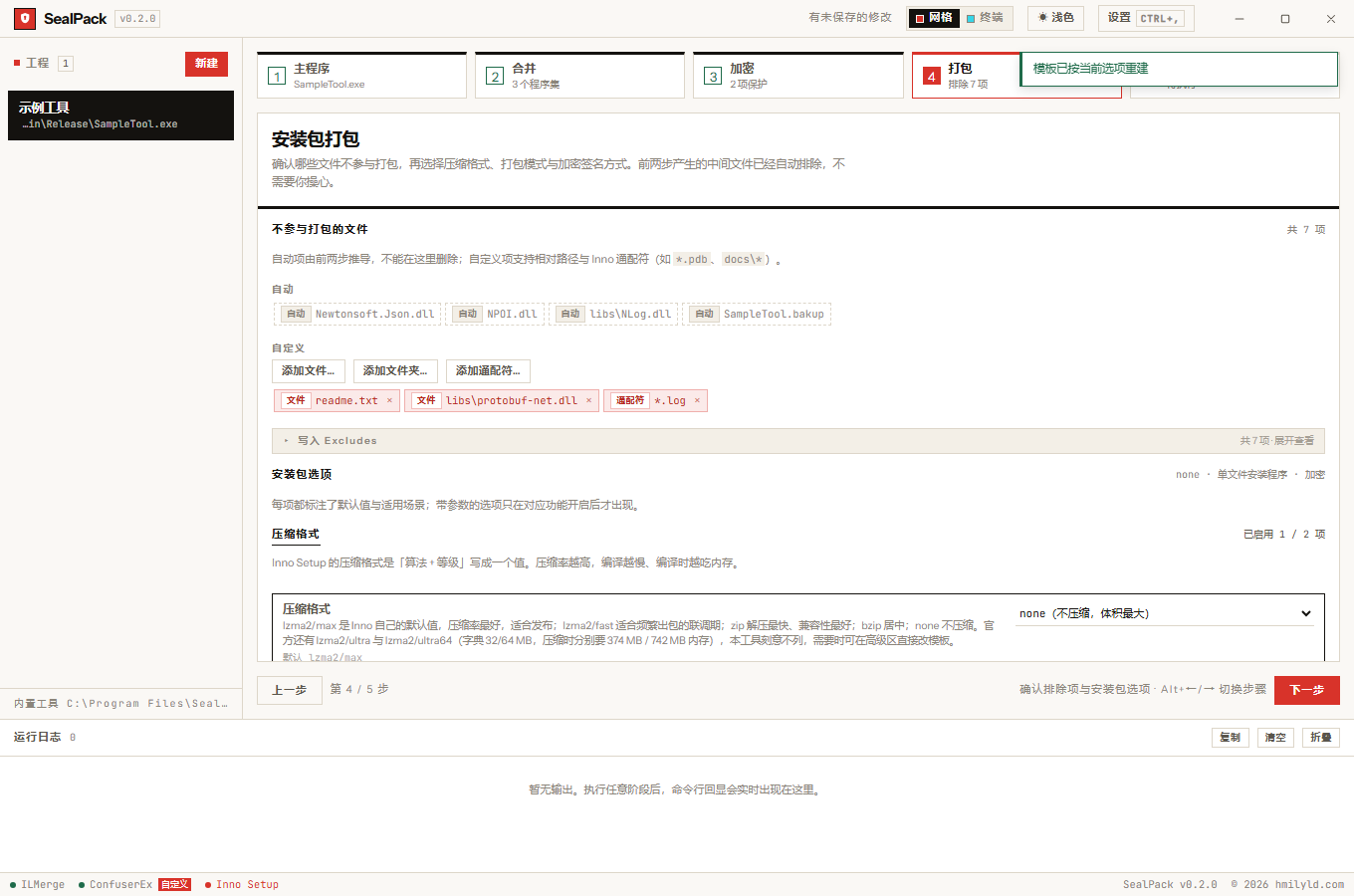
19 Inno Setup parameters in five groups — compression, packaging mode, encryption and signing, install behaviour, integrity checks.
Group 1 · Compression
| Option | Default | Notes |
|---|---|---|
compression |
lzma2/max |
Algorithm and level in one value. Accepts lzma2/max lzma2/normal lzma2/fast lzma/max lzma/normal lzma/fast zip bzip none |
solidCompression |
on | Compresses files together for a better ratio; noticeably slower with many files. No effect when compression is off |
lzmaDictionarySize |
0 |
In KB. 0 means the line is omitted and Inno derives it from the level (recommended). Valid range 4–3932160 on the 64-bit compiler; values below 4 are rejected by ISCC so they are never written |
lzmaNumBlockThreads |
0 |
0 means the line is omitted and Inno uses its own default of 1. Official range 1–256 |
lzmaMatchFinder |
bt |
BT (binary tree) compresses better but uses more memory / HC (hash chain) is lighter and faster |
lzmaUseSeparateProcess |
off | Turn this on when the 32-bit compiler reports out-of-memory with a large dictionary plus threads |
Group 2 · Packaging mode
| Mode | Behaviour |
|---|---|
single standard installer |
Default. Writes registry keys, creates an uninstaller, can create shortcuts |
portable |
No registry keys, no uninstaller, no shortcuts. There is no upgrade — every run unpacks fresh |
multi_volume |
Splits into Setup-*.bin. Inno forces this above 4.2 GB compressed |
| Option | Default | Notes |
|---|---|---|
packagingMode |
single |
See above |
diskSliceSize |
0 |
Bytes. Official range 262144–9223372036800000000; values below the floor are not written. 0 uses Inno’s default of 2100000000 (about 2 GB) |
slicesPerDisk |
1 |
Official range 1–26. Above 1 the files are named Setup-xy.bin |
requireAdmin |
off | On installs into Program Files (and prompts UAC); off installs per-user with no elevation at all |
wizardStyle |
modern |
modern is Inno 6’s newer wizard (recommended) / classic is the older look. Inno also supports dark / dynamic; only two are exposed |
Group 3 · Installer encryption and signing
Encryption uses XChaCha20 with a key derived from the password via PBKDF2-HMAC-SHA256; signing uses an Authenticode certificate, which is asymmetric.
| Option | Default | Notes |
|---|---|---|
encryption |
yes |
yes encrypts file contents only and prompts for the password during setup / full encrypts the setup UI too / no disables it. The password comes from the project’s installer password. Inno’s own default is no; SealPack defaults to yes |
kdfIterations |
220000 |
PBKDF2-HMAC-SHA256 iteration count, official range 1–2147483647. Higher resists brute force better but makes password verification during setup slower |
signTool |
empty | The SignTool name configured in the Inno compiler (for example signtool). Empty means no signing |
signedUninstaller |
off | Signs the uninstaller as well, so uninstalling is not blocked. Requires a configured signing tool |
With encryption=full the setup UI itself is encrypted, so there is no prompt at run time — the password
has to come from the command line:
Setup.exe /PASSWORD=your-password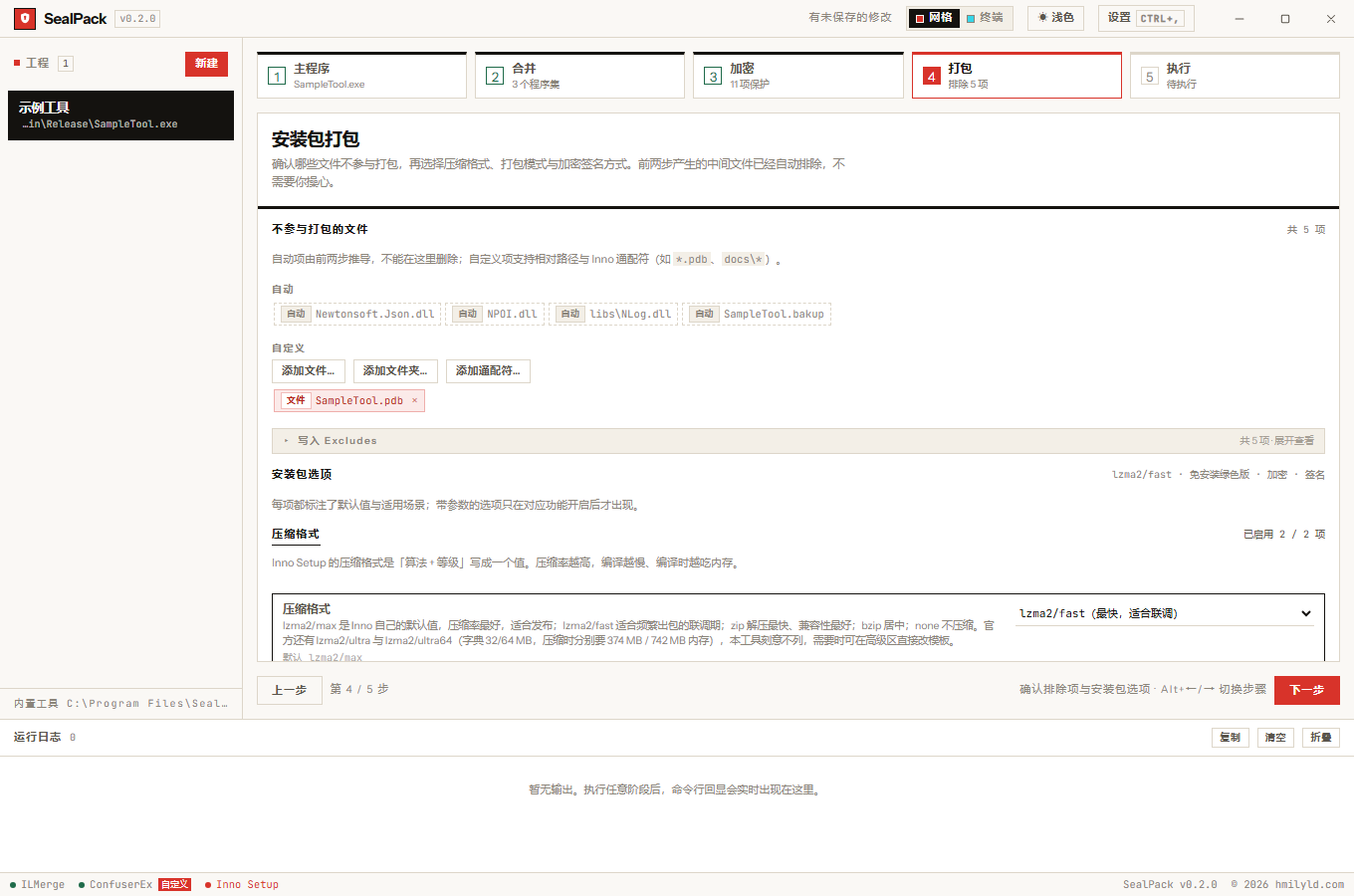
Group 4 · Install behaviour
| Option | Default | Notes |
|---|---|---|
appId |
empty (derived) | Application identity, deciding whether a rebuild upgrades or installs fresh. Empty derives it from the executable’s product identity |
desktopIcon |
on | Offers a “create a desktop icon” checkbox in the wizard (unchecked by default). No effect in portable mode |
runAfterInstall |
on | Offers “launch now” at the end of setup. No effect in portable mode |
uninstallable |
on | When off the app never appears in “Installed apps” and cannot be uninstalled normally. Portable mode always omits it |
Group 5 · Integrity checks
| Option | Default | Notes |
|---|---|---|
checksum |
none |
After packaging, writes checksums-<algo>.txt into the output directory. sha256 (recommended) / sha1 / md5 (the latter two only for legacy integrations; both are broken for collision resistance) |
Why only nine compression levels
Inno also supports lzma/ultra, lzma/ultra64, lzma2/ultra, lzma2/ultra64, plus zip/1–zip/9 and
bzip/1–bzip/9.
The ultra levels are omitted because their default dictionaries are 32 MB and 64 MB, which means 374 MB and 742 MB of memory while compressing — on a settings screen that reads as a trap rather than an option. Edit the template directly if you need one.
When no level is given, Inno treats bzip as 9 and zip as 7.
Sources for every limit and how they were verified: limits & official references.