Getting started· 04
Running & logs
How the three stages run, how artifacts are found, why the log panel decodes GBK itself, and why you cannot switch projects mid-run.
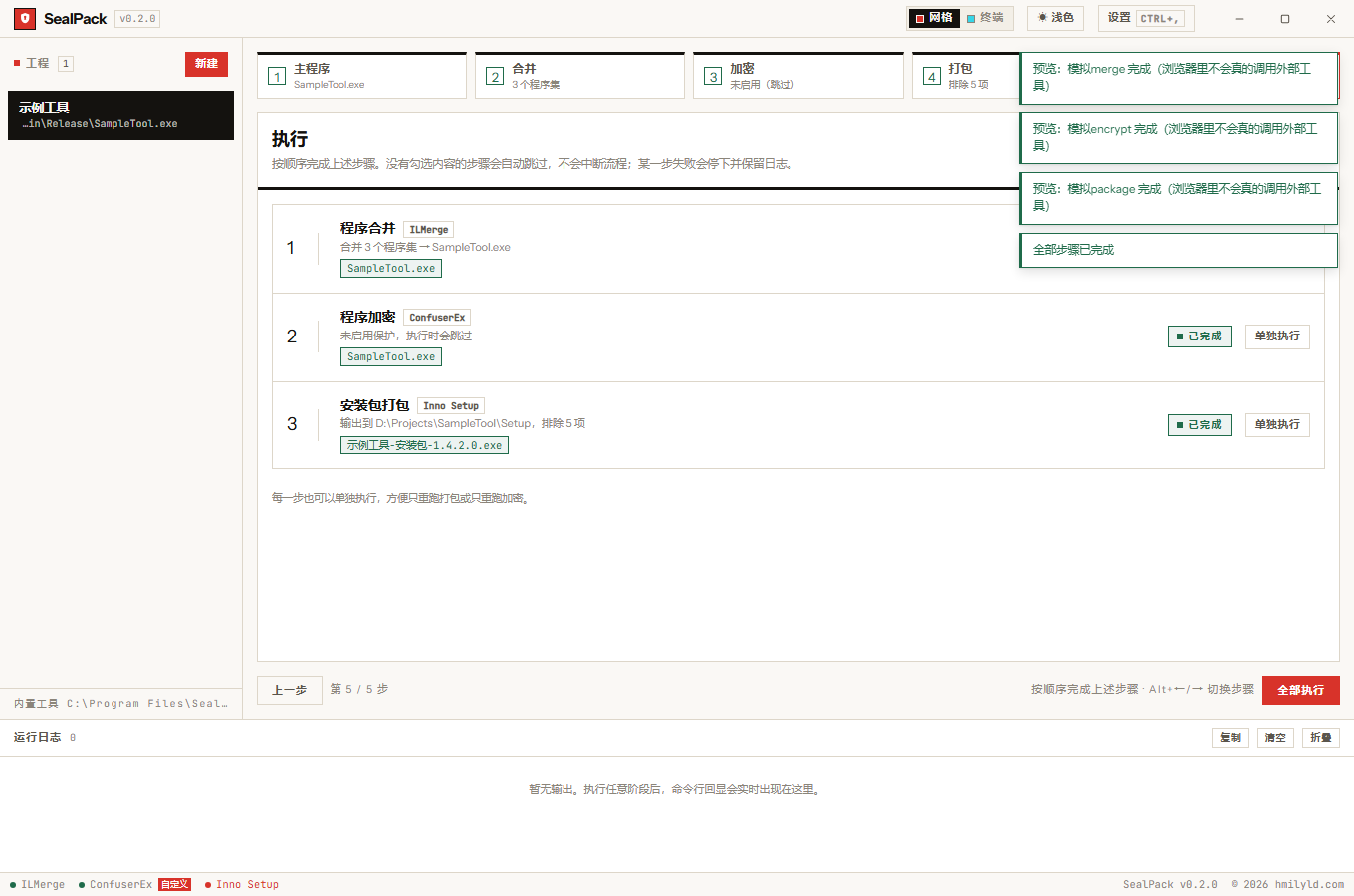
Two ways to run
| Button | Behaviour |
|---|---|
| Run all | merge → obfuscate → package in order, showing “running N / 3” |
| Run one | re-runs the stage on that row and nothing else |
Every stage reads its parameters from the project file on disk: pressing run makes the Rust side call
save_project first, then enter the pipeline. So “I changed it but it was not saved” cannot happen —
the save authority is the backend, not the 600 ms debounce.
Failure stops the run. A failing stage keeps its full log and halts; the later stages do not execute, because they consume the earlier ones’ output and half-finished input only produces harder errors.
Artifacts are discovered, not guessed
The installer’s filename comes from Inno’s OutputBaseFilename, while merge and obfuscation overwrite the
executable in place — three completely different shapes of output. So SealPack does not guess a filename:
- snapshot the output directory before the stage (name, mtime, size);
- snapshot it again afterwards;
- accept only files newly created or rewritten in this run, recursing into subdirectories.
The artifact button therefore always reveals the file this run produced. A stale installer sitting in the folder is never mistaken for the new one.
The log panel
External tool output is streamed line by line and shown with its source labelled:
- Both UTF-8 and GBK are decoded. Child process output may be UTF-8 or the system ANSI code page (GBK on Simplified Chinese Windows). Decoding tries UTF-8 first and falls back to GBK — otherwise the log is full of mojibake.
- Above 5000 lines the oldest are trimmed, so a long build cannot exhaust memory.
- Secrets are masked. The command line is logged verbatim and may contain passwords; the single exit
point masks
PASSWORD=/SNKEYPASS=/RENAMEPASSWORD=/KEYPASS=(case-insensitive). - The panel is a live region, so screen readers pick up new lines, but it never steals focus on append.
No project switching while running
Once a run starts, the project list on the left is disabled — switching mid-run would send the running stage to a different target.
That is only the first line of defence: shortcuts and programmatic paths can still trigger a switch. So
runStage / runAll snapshot the project at entry, and every write-back (status, artifacts, save
indicator) first verifies current.id still matches. On mismatch the write is dropped rather than applied
to someone else’s project.
Temporary files
Per-project stage files live under %APPDATA%\com.hmilyld.sealpack\work\<project id>\ and anything older
than 24 hours is cleaned at startup. An abnormal exit (kill, power loss) can leave temporary files behind,
and both the encryption config and the packaging script contain plaintext passwords — which is why the
cleanup exists.