Getting started· 02
File tree & selection
One row is split into three independent hit areas; search, type filters and "selected only" cover three different mental models.
One row, three hit areas
“Clicking the wrong thing” is the classic file-tree complaint: you want to expand a folder and end up checking the whole subtree, or you want to check a file and collapse everything instead. SealPack splits the hit area so each part does exactly one thing:
| Area | What a click does |
|---|---|
| Chevron | Expands / collapses only. Never changes a checkbox |
| Checkbox | Checks / unchecks only (a folder covers its children). Never collapses |
| Name | Moves focus only. Never changes a checkbox; double-click is “activate” |
The three areas do not overlap and do not delegate to each other — clicking the chevron never touches the selection, clicking the name never folds a directory.
Three ways to find a file
Each maps to a different mental model, and all three are kept:
- “I know roughly where it is” → just expand directories. The tree is unfiltered by default and shows the full structure.
- “I know the type” → click a type chip, for example
.dllonly. - “I know the name” → the search box. Matches are highlighted, ancestors expand automatically, and the directories you folded by hand are remembered and restored when the search ends.
After selecting, use “selected only” to review, or “check current results” to select everything the filter currently shows.
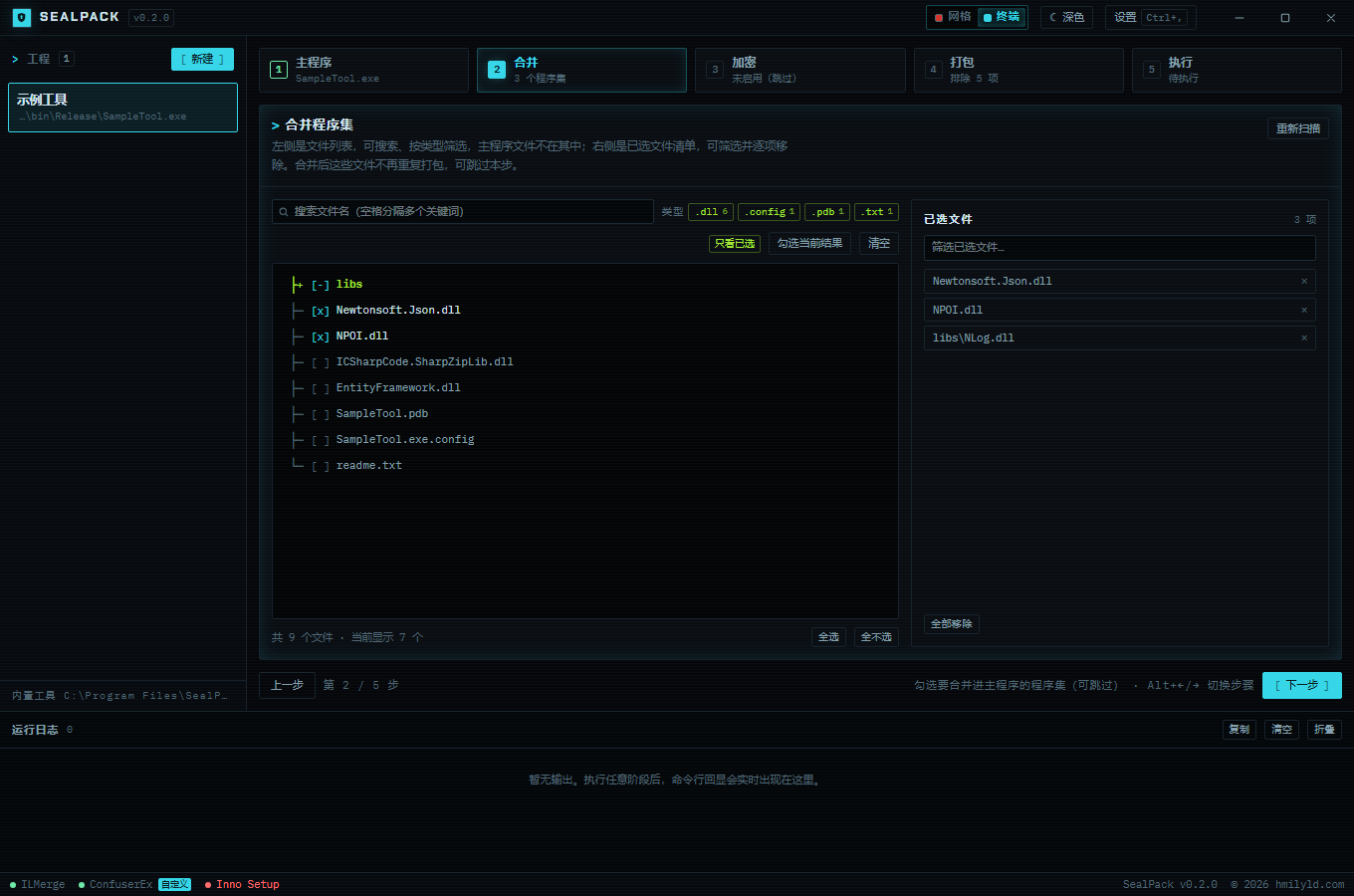
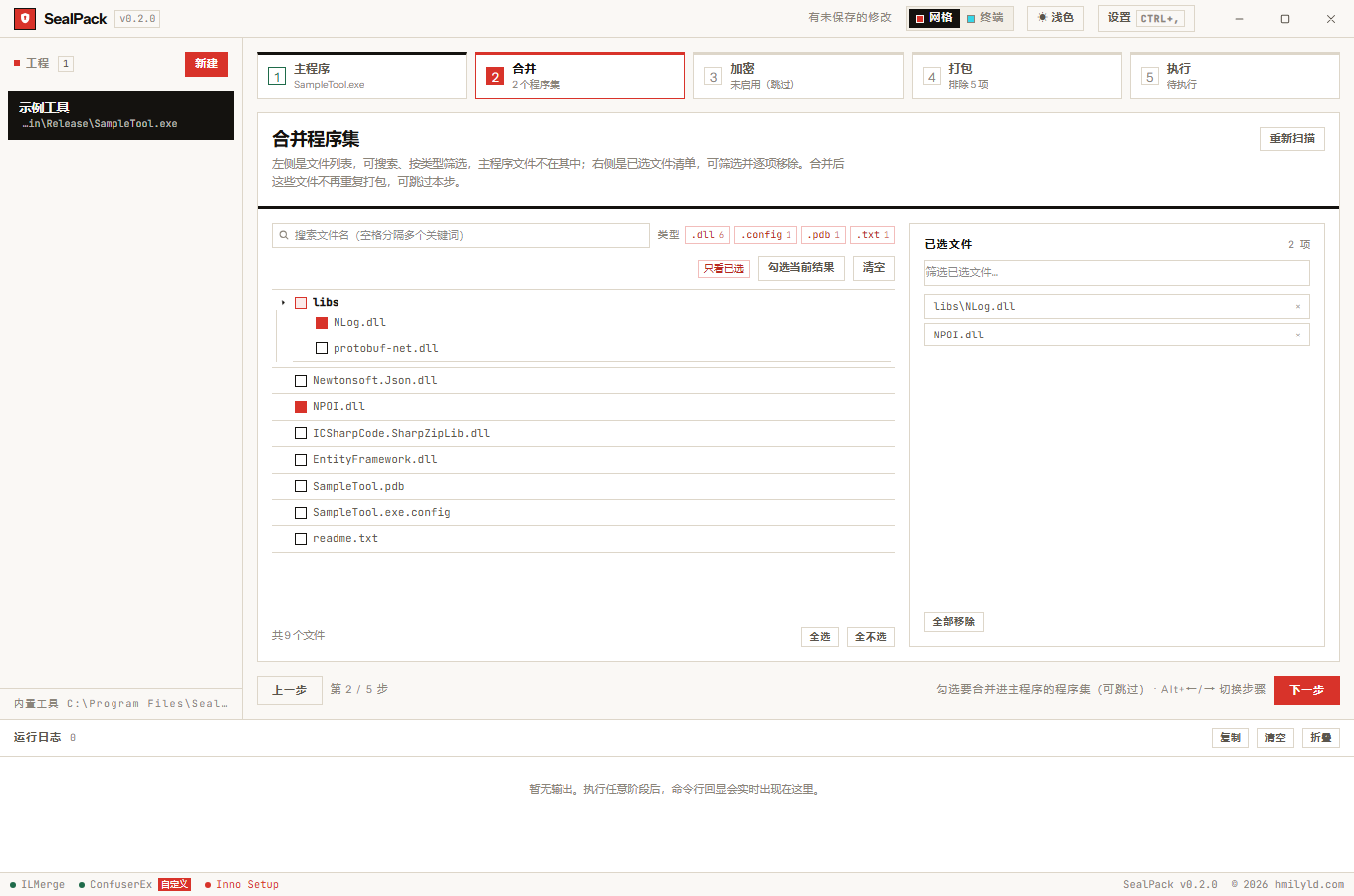
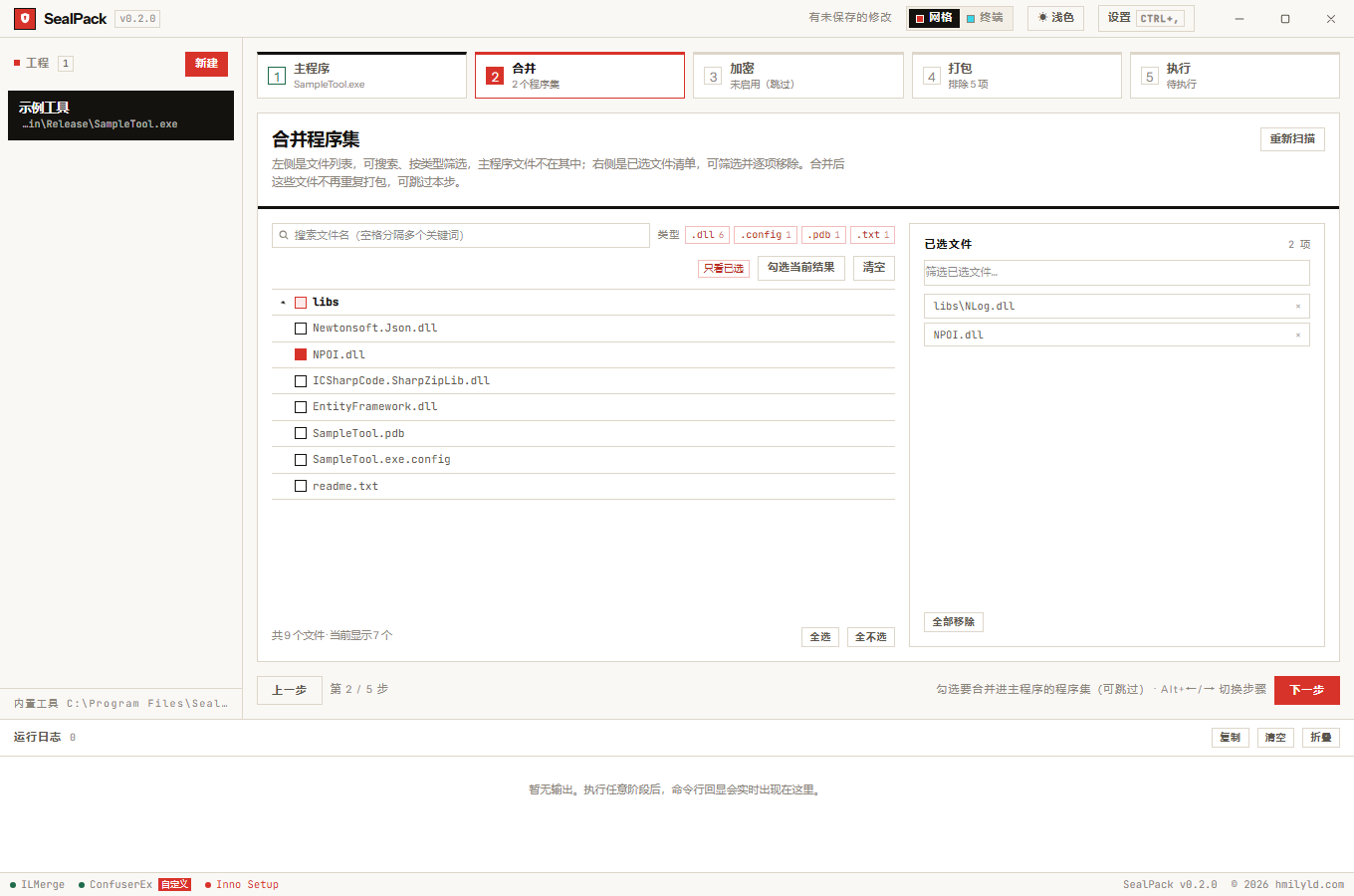
The selected list
- Filterable, each item removable with ×, or “remove all”.
- The main executable never appears in the tree — it does not need to be merged into itself.
- Every entry carries its relative path, so it can be pasted into other tools without reassembling it.
A changed view is not a changed selection
These are two different events and they are easy to conflate:
- Selection changed (
onChange) writes back to the project and schedules a debounced save; - View changed (
onView) — folding a directory, changing a filter — only changes what is visible and must not trigger a save.
But the footer counter (“showing N items”) does have to follow the view. That bug happened for real: after folding a directory the counter did not move, and users assumed the fold had failed. So the tree emits two callbacks, one for each concern.