Windows desktop · v0.2.0
Three command-line tools,
one window
Merge, obfuscate, package — that used to mean three manuals, two hand-written config files and three terminal sessions. SealPack turns the routine into one project: pick the executable once, flip a few switches, run it.
① Merge
ILMerge
Fold assemblies into the main executable so you ship fewer files. The original is backed up first.
ILMerge.exe② Obfuscate
ConfuserEx
Renaming, constant and resource encryption, anti-tamper. 36 switches across four presets.
ConfuserEx.exe③ Package
Inno Setup
Compression, split volumes, install password, full-package encryption and code signing.
ISCC.exeWhat it does — and what it does not
Each of the three tools is mature on its own. The problem is that nothing connects them. Turning an .exe into a shippable installer means reading three manuals, writing two config files (.crproj and .iss), remembering which parameter belongs to which layer, then pasting paths between three terminal windows.
SealPack fixes that routine into a project: the executable, output directory, assemblies to merge, protection switches, packaging options and excludes all live in one JSON file. Change a switch and the template is recomputed; press run and the three stages execute in order. What you see in the UI and what gets written into the config come from the same Rust code, so they cannot drift apart.
It deliberately reinvents nothing — obfuscation is ConfuserEx’s job, installer encryption is Inno Setup’s. There is no home-grown cryptography in this project.
- 01One definition per option.Every encrypt and packaging switch is a single schema entry; the UI renders from it and the regression probe asserts from it.
- 02Templates come from Rust.The frontend only collects switches; templates are always produced by the backend, and the browser-side mirror is checked byte for byte.
- 03Fail fast.A failing stage stops the run and keeps the log. Half-finished artifacts never flow into the next stage.
- 04Back up before overwriting.The first run saves the executable as
.bakup, and that backup stays out of the installer by default.
Two skins, one DOM
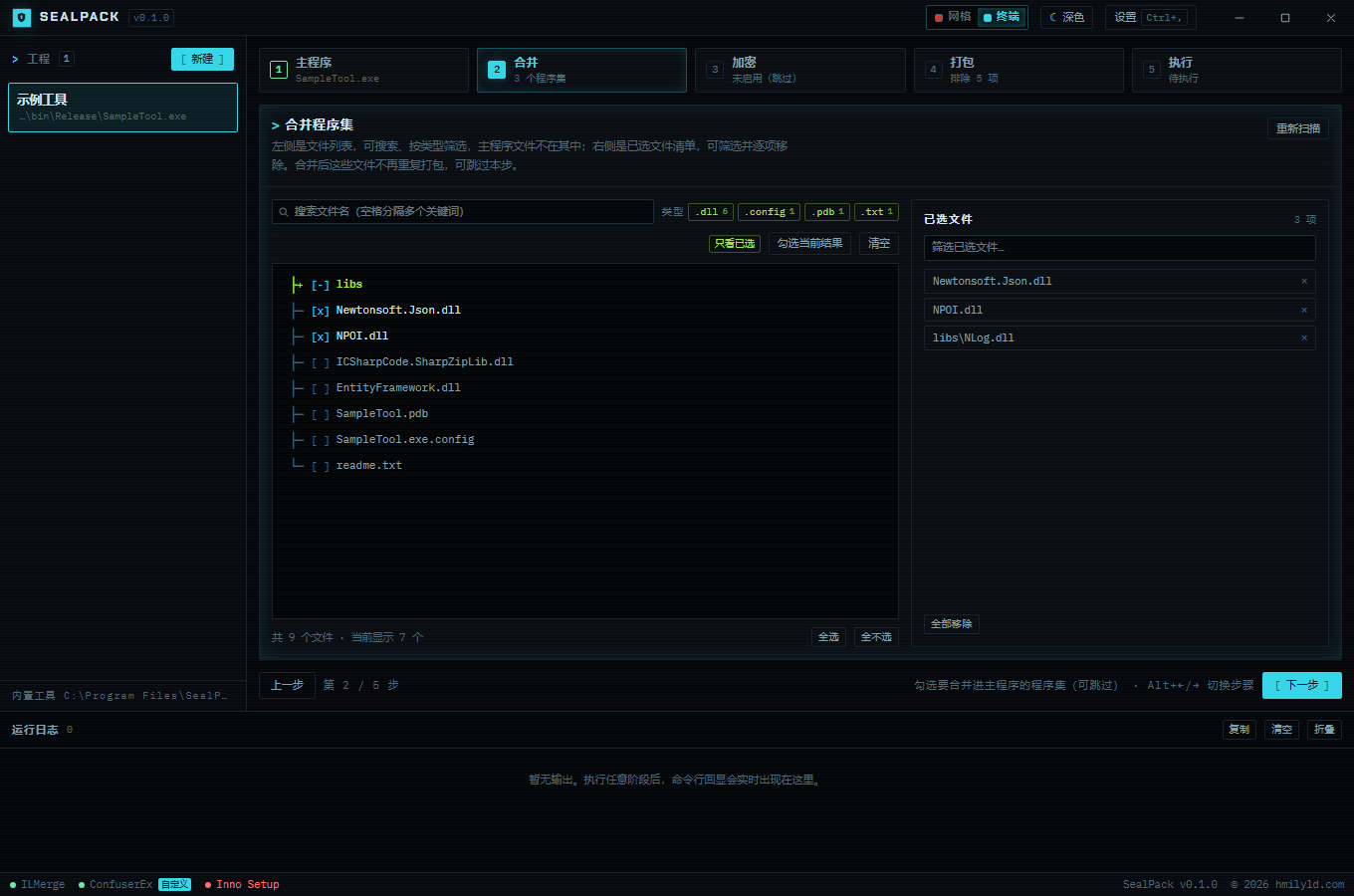
“Swiss grid” is warm paper with vermilion; “Terminal” is near-black with cyan. The difference is 100% CSS and switches from the title bar. Light and dark are a separate axis: auto, dark, light — each skin remembers its own.
Documentation
Getting started
The five-step wizardFile tree & selectionPackaging & excludesRunning & logsShortcuts, menus & windowThe wizard, and what every control does
Reference
Encrypt optionsPackage optionsTemplates & placeholdersApp identity & upgradesLimits & official referencesPer-option semantics, defaults and limits
Internals
Architecture & invariantsData & securityDevelopment & testingFAQArchitecture, invariants, development and tests
Start here
First time? Read install & requirements, then walk the five-step wizard.